
Coming soon to Windows
Add captions to a video automatically
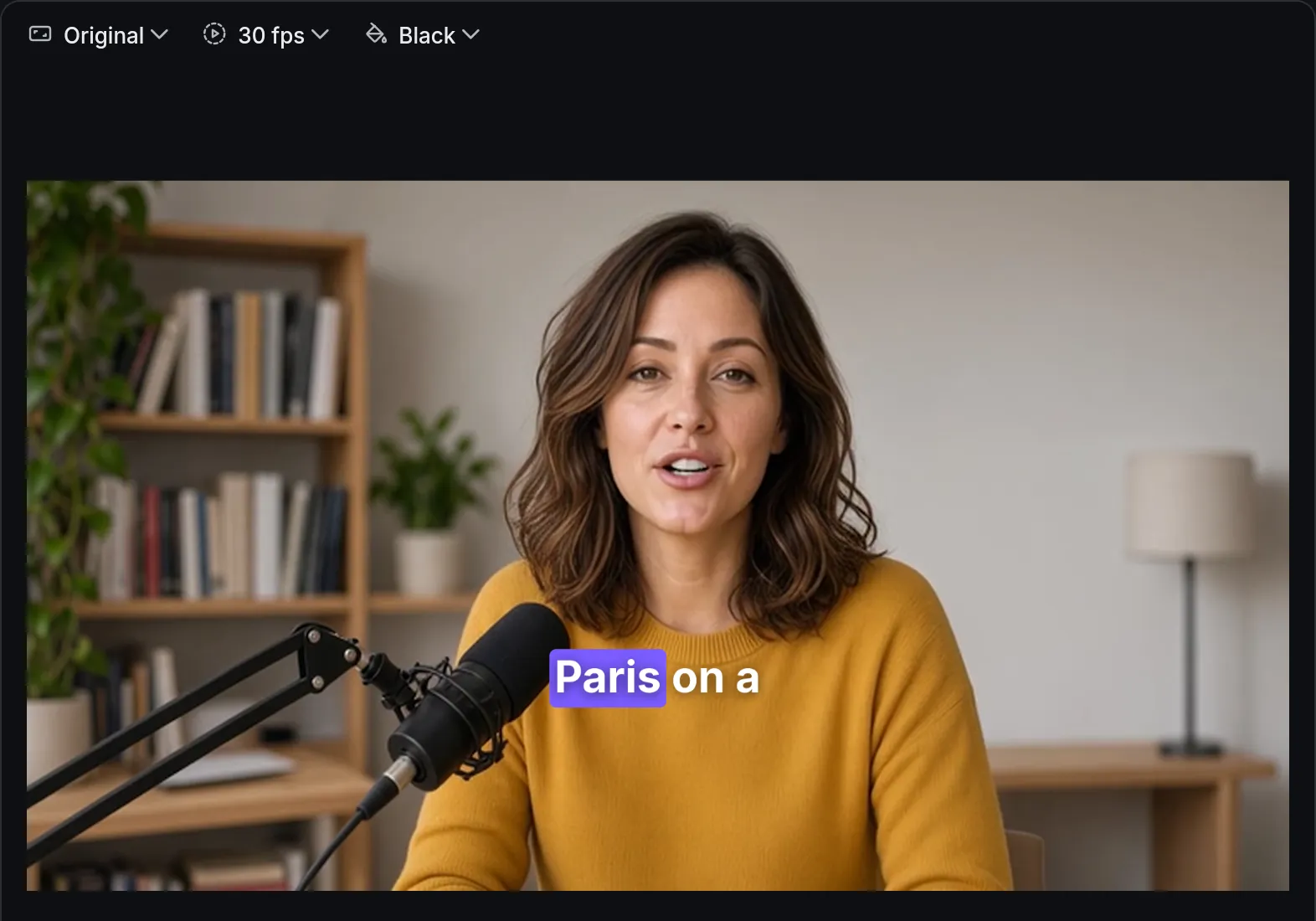
Captions of everything said on your timeline, on a track of their own, that you edit like any text: fix a word right on the video, and restyle them all at once.
ProMake and correct captions for free; exporting them, in the video or as SRT, needs Pro, and so does the word-by-word highlight. Captions you type or import are free. See pricing
- ≈ 100languages, or let it detect the one spoken
- 1–3 wordsat a time, each word highlighted as it’s spoken; or full lines
- 5caption styles in the app, and your own
How to do it in Eigami
In the library’s Text tab, choose Auto captions.

Choose the quality, the language, how the captions are cut and a style.
Press Create captions; the first time, a download runs once before it starts.
Find the captions on their own track on top, and fix any word on the viewer.

How it works
Only speech is heard
Only the parts where someone speaks become captions, so music and silence don’t turn into made-up words. Muted tracks are left out.
Cut as a subtitler would
Each caption breaks at a sentence’s end or a pause, and stays within two lines. Short ones follow the speech word by word.
The words stay in step
Cut the video and the captions over it move along. Captions made from the Transcript tab drop the words you delete there.
What it needs
- A download the first time, shared by every project: Fast: 61 MB, Balanced: 191 MB, Best: 575 MB.
- A processor with AVX2: most made since 2013 have it.
What it doesn’t do
- It doesn’t translate: captions are in the language spoken.
- In languages written without spaces between words, captions are cut by length only.
Questions
Does it work offline?
Yes. After the first download for the quality you choose, captions are made without a connection.
Can I bring my own subtitles?
Yes. Import an SRT file from the Text tab, and export a captions track as SRT (captions made by Auto captions need Pro for that).
A name is spelled wrong in every caption. Do I fix each one?
No. Find and replace (Ctrl+H) changes it in every caption and text on the timeline at once, in one step you can undo.
Coming soon to Windows. Eigami is a free desktop video editor with no watermark. Pro, paid once, adds 4K exports and the tools that do the work for you, with AI on your computer. Free, with Pro paid once, through the Microsoft Store for Windows 10 and 11. The app never asks you to sign in. See what it does
Updated