
Coming soon to Windows
Fill the black bars with a blurred background
A landscape video in a vertical frame with no black bars: the space around it fills with the video itself, enlarged and blurred, moving with the picture and changing with every shot.
Free
- 6 looksready-made: Cinema, Glow, Wood table, Brushed metal, Marble and Squares
- Blur · Pixelatesoft or pixelated, as strong as you choose
- Your own lookssaved once, a click away in every project
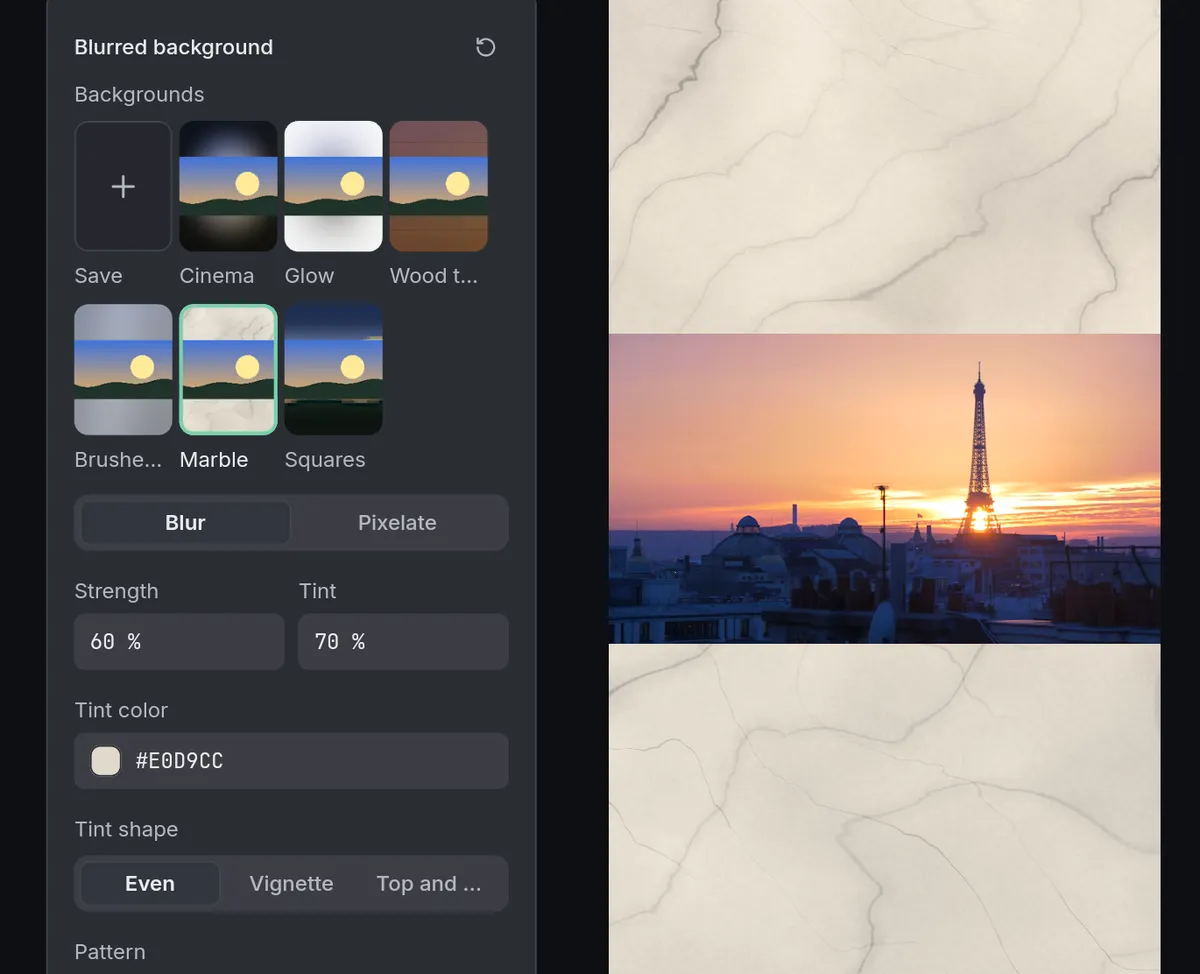
How to do it in Eigami
Choose 9:16 in the Canvas format menu, in the viewer’s header.
In the menu beside it, Background around the picture, choose Blur.
Press the button beside it to open Blurred background, and click a look under Backgrounds.
To keep a look of your own, press Save under Backgrounds and name it.
How it works
A tint, a vignette
Tint takes the background towards any color. As a Vignette it is strongest at the edges; Top and bottom leaves room for a title.
Patterns and materials
Lay dots, lines, a grid or scanlines over it, or brushed metal, wood, marble, plastic or fabric. Pattern intensity sets how much they show.
Ready-made looks
Six looks come with the app: Cinema, Glow, Wood table, Brushed metal, Marble and Squares. A click applies a look, and Ctrl+Z takes it back.
What it needs
- Nothing to download: it comes with the app.
What it doesn’t do
- There is one background for the whole video: it can’t change from one clip to the next, or over time.
- It doesn’t blur the room behind a person in the shot: for that, use Remove background.
Questions
Does it work the other way, a vertical video in a landscape frame?
Yes. It fills the space around any picture that doesn’t cover the frame, such as a phone video in 16:9 or a photo.
What if my clip fills the frame?
Select it and choose Fit in the frame in the Video tab’s Basic section: the background then shows around it.
Can I change a saved look?
Yes. Right-click it to rename it, update it or delete it.
Can I go back to black bars?
Yes. Choose Black or White in the same menu; coming back to Blur brings your look back.
Coming soon to Windows. Eigami is a free desktop video editor with no watermark. Pro, paid once, adds 4K exports and the tools that do the work for you, with AI on your computer. Free, with Pro paid once, through the Microsoft Store for Windows 10 and 11. The app never asks you to sign in. See what it does
Updated