
Coming soon to Windows
Turn a horizontal video vertical, the faces kept in frame
A 9:16 version of your landscape edit for Shorts, Reels or TikTok, with the same cuts and every shot moved to keep the faces in the tall frame.
ProMake the version and try it for free; exporting its reframing needs Pro. A 9:16 project framed by hand is free. See pricing
- 9:16 · 1:1 · 4:5the formats a landscape edit can take; a vertical one can become 16:9
- Your edit untouchedthe version is a new project beside it
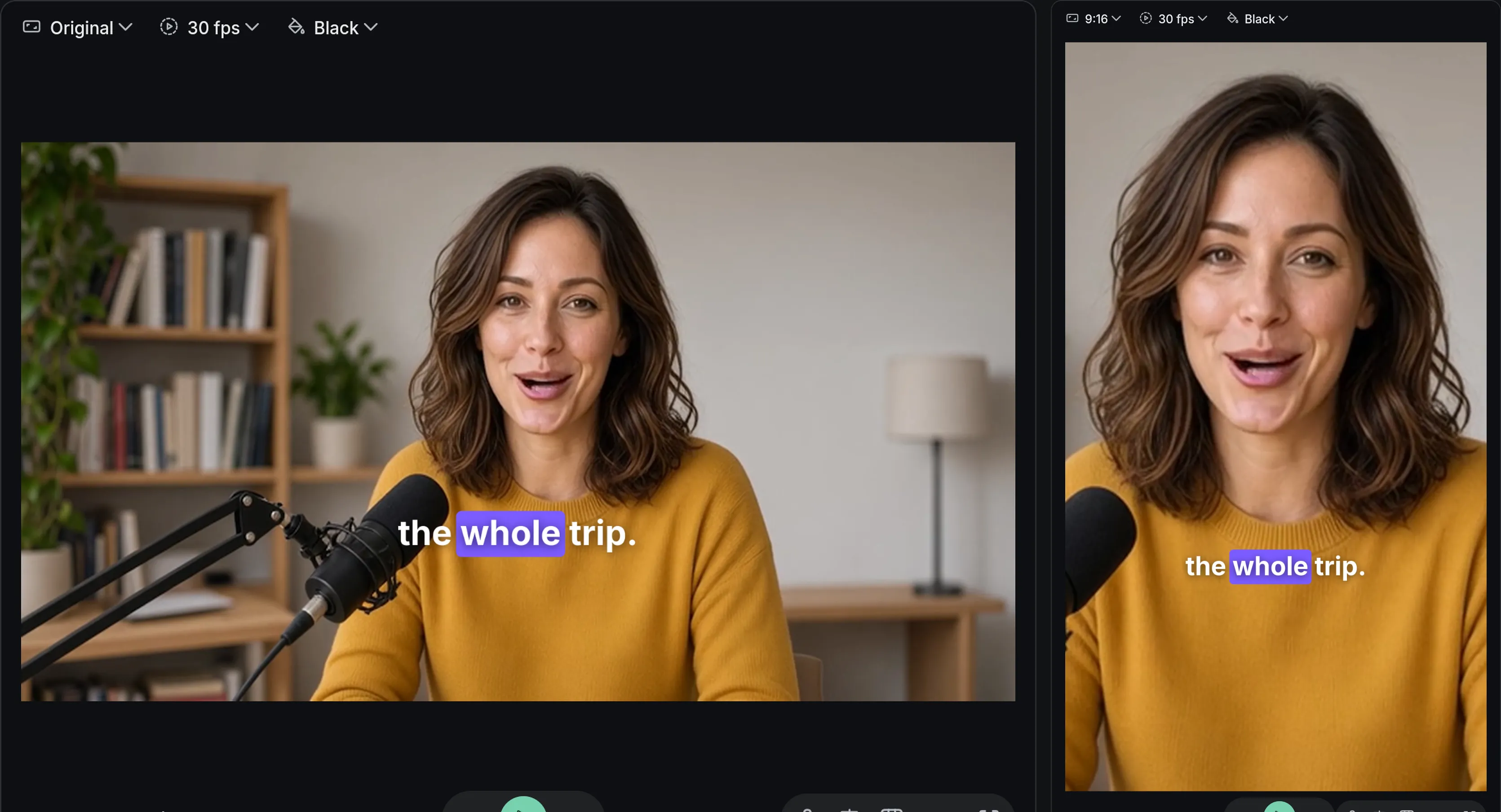
How to do it in Eigami
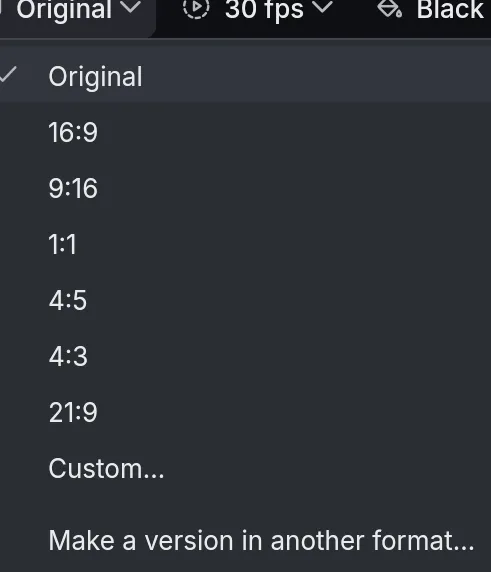
Open the Canvas format menu and choose Make a version in another format….
Choose 9:16 and leave Keep faces in frame ticked.
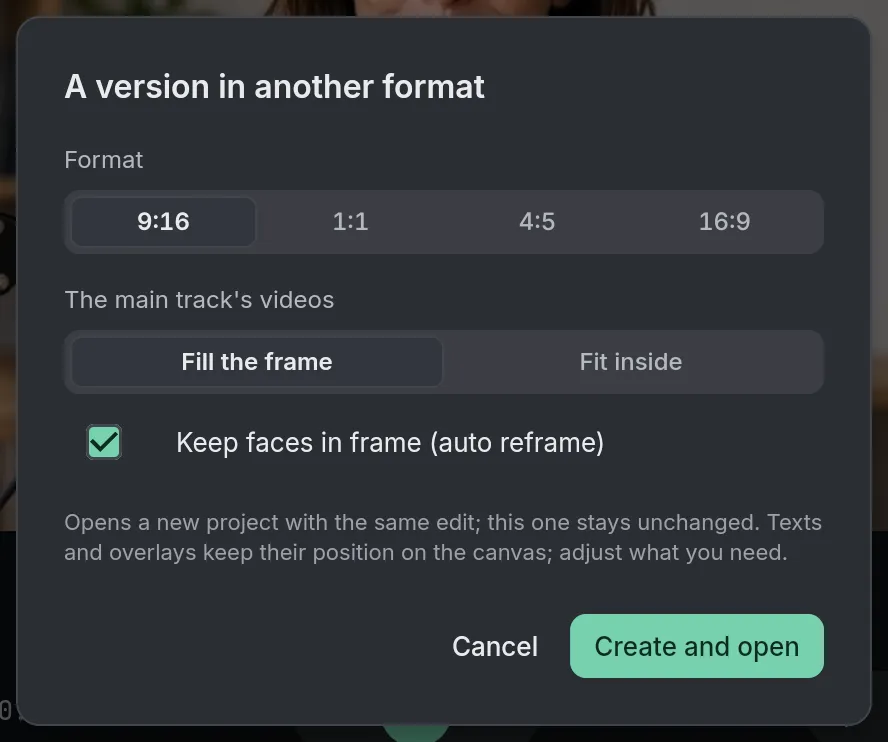
Press Create and open to see the version, its shots reframed.
Check each shot and move what needs it.
How it works
Who stays in frame
Everyone seen, when they fit together; otherwise the person seen most in the shot. A shot with no face stays where it is.
A camera that holds still
The frame stays still while the person moves a little, and glides after them when they move away, never past the picture’s edge.
Keyframes you can adjust
The moves are ordinary position keyframes, in the Video tab’s Basic section: change one to frame a shot your way.
What it needs
- Nothing to download: it comes with the app.
What it doesn’t do
- It follows faces only: a shot of a product or a landscape, with no one in it, isn’t moved.
- Texts, titles, captions and overlays keep their place on the canvas: move what needs it in the new frame.
- The version is a copy: an edit made to one afterwards doesn’t reach the other.
Questions
Is my original edit changed?
No. The version is a new project and your edit stays as it was; Undo, right after, puts the version in the projects’ trash and opens your edit again.
Is my video uploaded?
No. The faces are found on your computer; nothing is sent.
Can I reframe just one clip?
Yes. Auto reframe is in the clip’s menu and the Video tab’s Basic section, for any clip larger than the frame.
Can I edit with a tall viewer?
Yes. On a vertical project, Use vertical layout shows the viewer as a tall column beside the timeline.
Coming soon to Windows. Eigami is a free desktop video editor with no watermark. Pro, paid once, adds 4K exports and the tools that do the work for you, with AI on your computer. Free, with Pro paid once, through the Microsoft Store for Windows 10 and 11. The app never asks you to sign in. See what it does
Updated