
Coming soon to Windows
Cut, trim and split a video
Keep only the parts you want, each cut on the exact frame. Titles, logos and music move with the clips they belong to, so nothing falls out of sync.
Free
- Roll · Slip · J/L cutsmove a cut, show another part of a shot, or let the sound lead or trail the picture
- Premiere Pro · Final Cut Pro · DaVinci Resolvetheir keyboard shortcuts, to choose from if your hands already know one of them
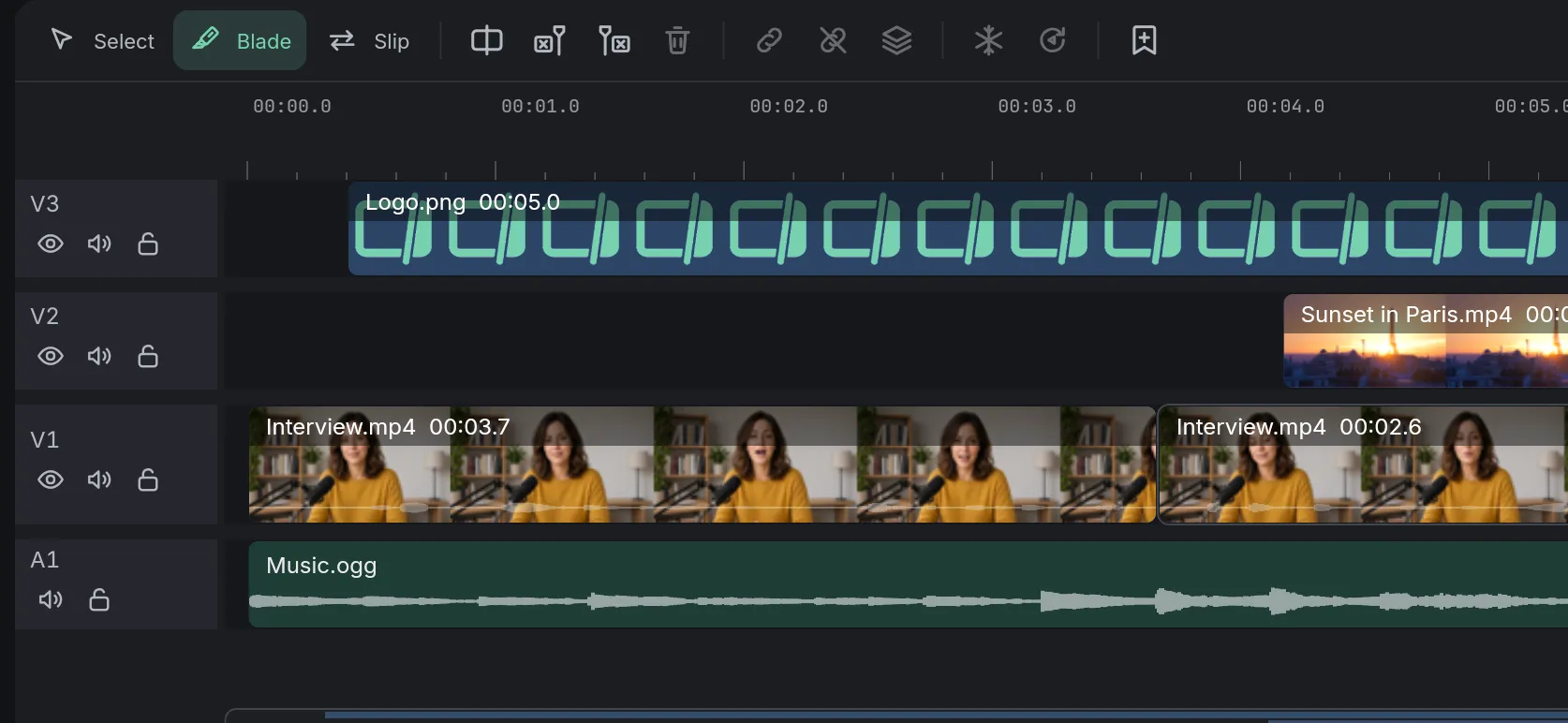
How to do it in Eigami
Play the video (Space) and stop where you want to cut.
Split the clip at the playhead (Ctrl+B).
Drag a clip’s start or end to trim it.
Click a piece you don’t want and press Delete: on the main track, the rest closes the gap.
How it works
Music can stay put
Untick Follows the main track in a track’s menu to keep its music or logo still. Turn the Magnet off to keep gaps.
Cut on the right frame
While you drag an edge, the viewer shows that frame, and the edge snaps to the playhead, other clips and markers.
Undo any step
Each split, trim or delete is one named step: the Undo button says “Undo: Split”, and the History list goes back several at once.
What it needs
- Nothing to download: cutting and trimming are part of the editor.
What it doesn’t do
- There is no lossless cut: exporting always makes the whole video again, at the quality you choose.
- There is no slide edit (a clip moved between its neighbors, one getting shorter as the other gets longer), and no multi-camera editing.
Questions
How do I cut out the middle of a video?
Split at the start and the end of the part, click the piece between and press Delete. On a track other than the main one, Shift+Delete closes the gap.
Does cutting a video lower its quality?
Not while you edit: your file is never changed. The quality is set once, when you export.
Can I cut the sound at a different point from the picture?
Yes: Alt-drag the lower half of a cut, so a voice starts before its shot or carries on over the next one (a J or L cut).
Can I move a cut without changing the video’s length?
Yes: with nothing selected, drag the line between two clips. The Slip tool shows another part of a shot in the same place.
Can I take just one part of a long recording?
Yes: click it in the library to see it alone, mark the part with I and O, and press E to add it to the timeline.
Is there another way to cut?
Yes: press B for the Blade and click a clip where you want to cut it. Q and W delete what is left or right of the playhead in the clip under it.
Coming soon to Windows. Eigami is a free desktop video editor with no watermark. Pro, paid once, adds 4K exports and the tools that do the work for you, with AI on your computer. Free, with Pro paid once, through the Microsoft Store for Windows 10 and 11. The app never asks you to sign in. See what it does
Updated