
Coming soon to Windows
Edit 4K video and long recordings
Your 4K clips and three-hour recordings edit as they are, with nothing to turn on: a file your computer can’t play smoothly gets a lighter copy for the preview.
Free + ProEditing 4K footage is free; exporting above 1080p or 60 fps needs Pro. See pricing
- The originalswhat you see when paused, and what every export is made from
- 3 hoursa recording that long goes on the timeline as it is
How to do it in Eigami
Import your footage, however long.
Edit as usual: heavy files get their lighter copy in the background, starting where you are.
Export as usual.
How it works
Only where it’s needed
Only the parts your clips use are copied: a minute taken from an hour-long recording gets about a minute’s copy.
Full quality when it counts
The originals play wherever your computer can play them. To always preview light, choose Smooth (preview copies) in Playback quality, in the viewer’s zoom menu.
Hours on the timeline
Hours-long recordings go on the timeline as they are, showing their frames and waveform, with finer detail filled in where you look.
What it needs
- Windows 10 (version 1903 or later) or Windows 11. A DirectX 12 graphics card is recommended.
- HEVC (H.265) files need Microsoft’s HEVC Video Extensions on some computers.
- Nothing to set up: the copies are made on their own, on your computer.
What it doesn’t do
- Playing from a copy is less sharp, and at most 30 frames a second, so a 60 fps video shows half its frames. Pause, and the original is back.
Questions
Why does an OBS recording pause a moment when I press play?
Recordings from OBS with its Keyframe Interval left on auto can pause a moment when you press play far from where you were; a thin bar along the viewer shows it. Setting OBS’s Keyframe Interval to 1 s avoids it.
Will my 4K phone videos stutter?
Until its lighter copy is ready, a heavy video plays as well as your computer allows; you can keep editing meanwhile.
Can I prepare a heavy file before using it?
Yes. Right-click it in the library and choose Make preview copy; a bolt on it says when it’s ready.
How much disk do the copies take?
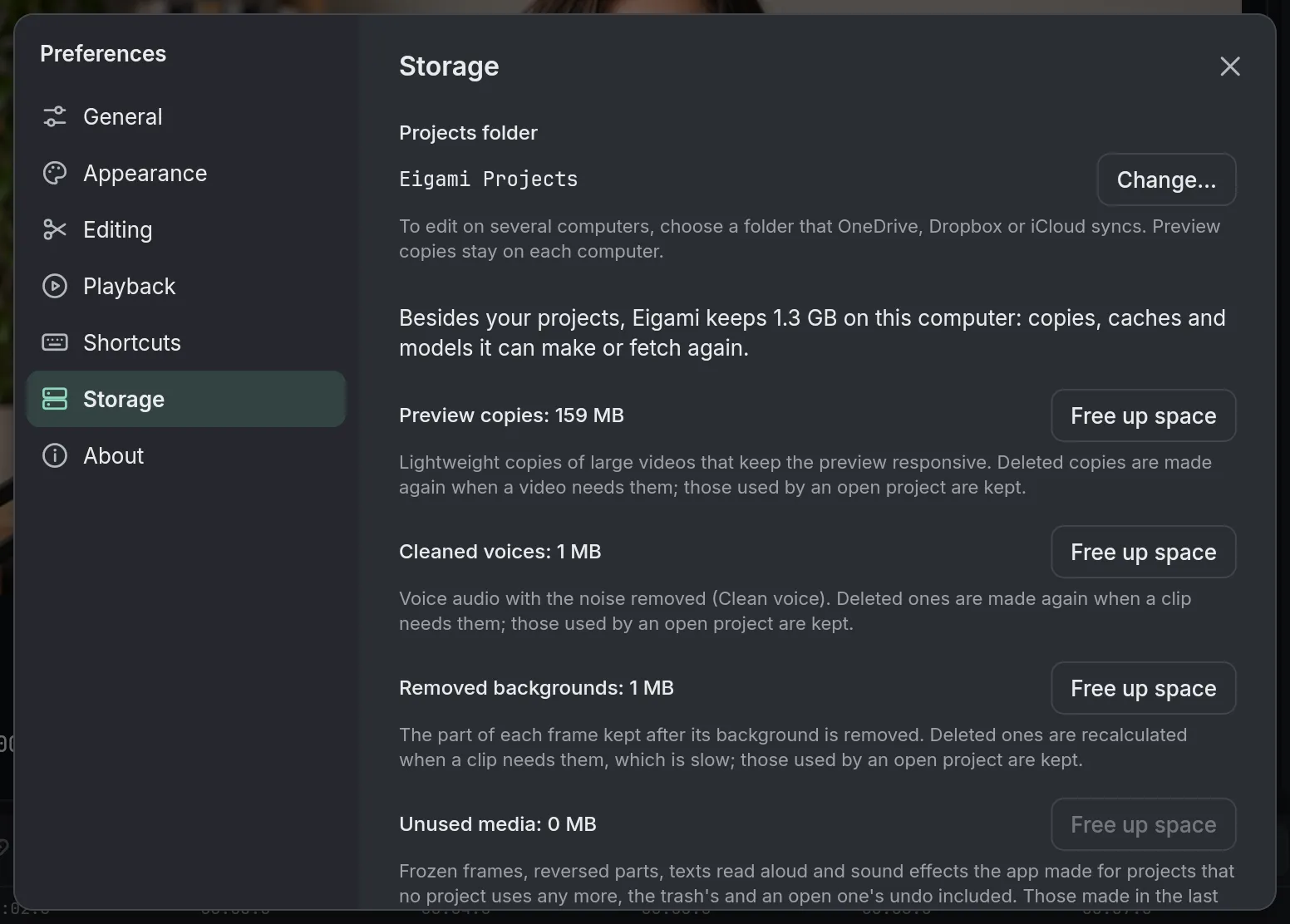
20 GB at most, and less when the disk is short of space. In Preferences (Ctrl+,), Storage shows how much they take, and Free up space deletes those no open project uses.
Coming soon to Windows. Eigami is a free desktop video editor with no watermark. Pro, paid once, adds 4K exports and the tools that do the work for you, with AI on your computer. Free, with Pro paid once, through the Microsoft Store for Windows 10 and 11. The app never asks you to sign in. See what it does
Updated