
Coming soon to Windows
Export a video as MP4 or GIF
Export the whole project, the selected clips or just a part as an MP4, a GIF or the sound alone, from a preset named for where it goes. Free up to 1080p and 60 fps, no watermark.
Free + ProUp to 1080p and 60 fps in H.264 is free. Larger sizes, higher frame rates, HEVC, AV1 and loudness for each platform need Pro. See pricing
- No watermarknothing of ours on what you export
- 1080p · 60 fpsfree; 4K and higher frame rates with Pro
- MP4 · GIF · soundfrom presets named for where it goes: YouTube, Shorts · Reels · TikTok
How to do it in Eigami
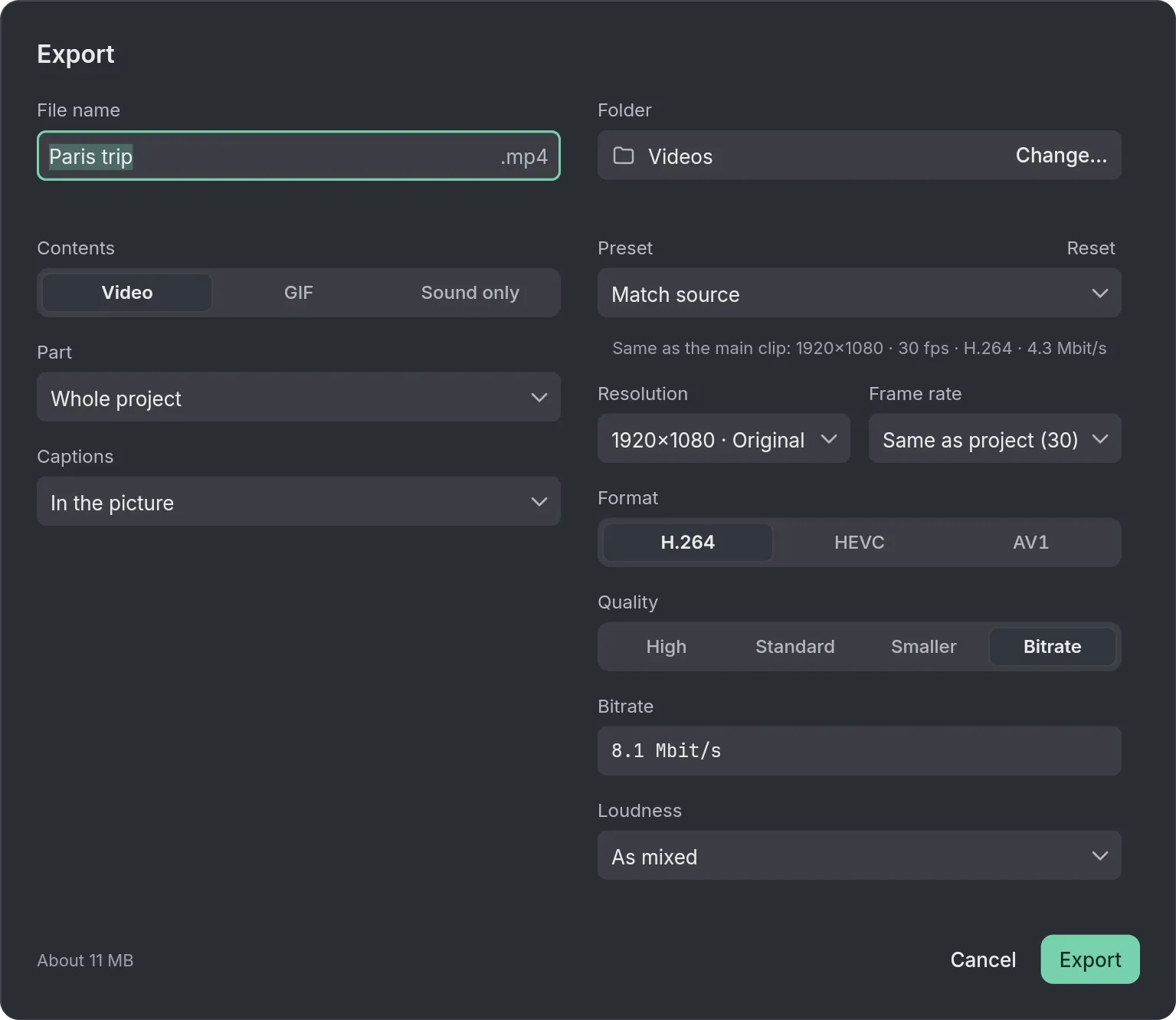
Press Export (Ctrl+E): the dialog opens with your last export’s settings.
Under Contents, choose Video, GIF or Sound only.
Pick a Preset, such as YouTube 1080p or Shorts · Reels · TikTok.
Under Part, choose Whole project, Selected clips or From… to….
Name the file, choose the folder and press Export.
How it works
Match source keeps the quality
Match source takes the main clip’s size, frame rate and format, and says what it matches, so the export keeps the quality you recorded. Above 1080p or in HEVC, with Pro.
GIFs that don’t band or flicker
A GIF keeps steady colors, and Smooth gradients stops skies turning into stripes. A warning shows when the file gets too big for many sites.
As loud as the platforms play
Loudness offers Online, Podcast and TV, so your video plays about as loud as others there. As mixed leaves the sound as you mixed it.
What it needs
- Nothing to download.
- Windows 10 (version 1903 or later) or Windows 11. A DirectX 12 graphics card is recommended.
What it doesn’t do
- Video comes out as MP4 only: no MOV, MKV or WebM.
- HDR recordings are exported as standard (SDR) video.
- Videos with transparency can be imported, but nothing is exported with transparency.
- One export at a time, and editing waits until it is done or canceled.
Questions
Is there a watermark on what I export?
No. What you export carries nothing of ours.
Can it export ProRes or DNxHR?
No. ProRes and DNxHR aren’t offered; Best quality makes a master at the project’s own size.
Can I export again after a change?
Yes. Export again (Ctrl+Shift+E) makes the whole timeline once more, as a new numbered file.
Can I get the captions as a file?
Yes. When the project has captions, Captions offers In the picture, In the picture and as .srt, or Only as .srt. Captions made by Auto captions need Pro to export.
Can I save one frame as a picture, for a thumbnail?
Yes. Put the playhead on the frame and choose Save frame as picture… in the Export button’s menu (Ctrl+Alt+E). You get a PNG or a JPEG, with every text and shape.
Coming soon to Windows. Eigami is a free desktop video editor with no watermark. Pro, paid once, adds 4K exports and the tools that do the work for you, with AI on your computer. Free, with Pro paid once, through the Microsoft Store for Windows 10 and 11. The app never asks you to sign in. See what it does
Updated