
Coming soon to Windows
Sync external audio with your video, by its sound
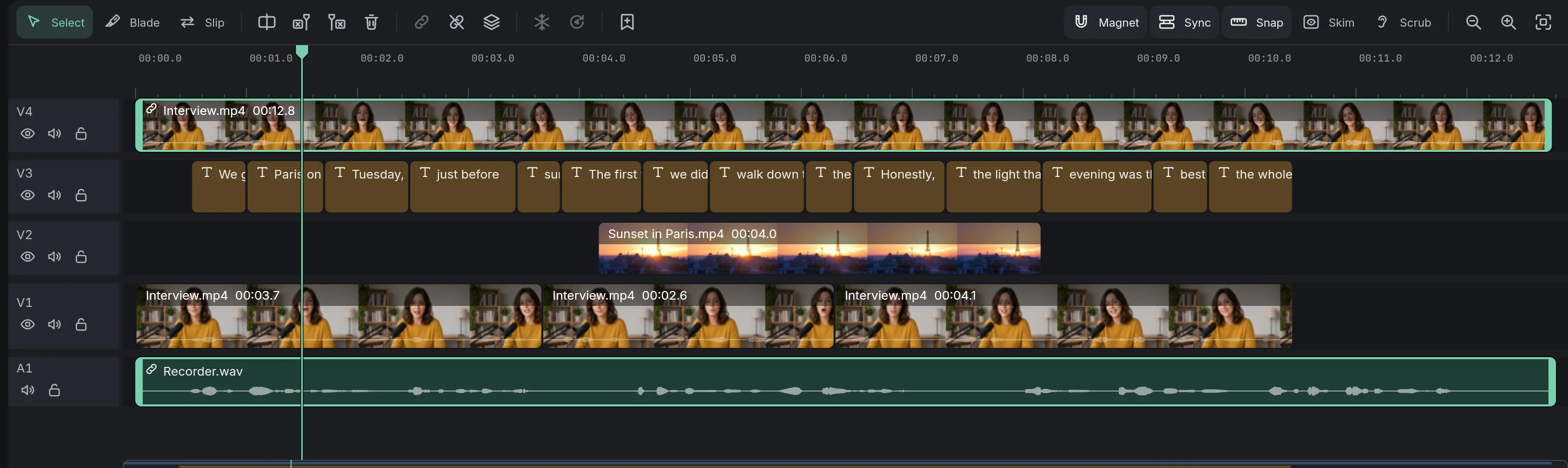
The sound from a separate recorder lined up with the camera’s picture by what both microphones heard, and then grouped with it, ready to edit.
ProFinding how far apart they are is free; lining them up needs Pro. See pricing
- No clap neededspeech heard by both microphones is enough
How to do it in Eigami
Put the camera’s clip and the recorder’s sound on the timeline, anywhere.
Select both: click one, then Ctrl+click the other.
Right-click either and choose Sync by sound.
A notice says how far apart they started; the recorder’s sound now sits under the picture.
How it works
Different microphones are fine
A camera often hears a voice quieter and noisier than a recorder does. The match still works when both caught the same speech.
It says so rather than guess
With two different conversations, a repeating beep or silence, there is no clear match: nothing moves and a notice says why.
The better sound kept
The camera’s own sound goes Silent, ready to turn up again in the Audio tab. The two clips are grouped and move together.
What it needs
- Two clips with sound of their own, from the same moment: a video and its separately recorded sound, or two videos.
- Nothing to download: it works from the clips’ own sound.
What it doesn’t do
- Two clips at a time. There is no multicam editing for switching between several cameras.
- It finds one offset for the whole clip: a recorder whose clock runs slightly fast or slow drifts apart over a long recording, and it isn’t stretched to follow.
- It doesn’t read timecode: it works from the sound alone, so a camera without a microphone can’t be synced.
Questions
Does it work with two cameras?
Yes. Both keep their sound; the one on the main track stays and the other moves.
My recorder started late. Does it still work?
Yes. It doesn’t matter which started first or where they sit on the timeline.
My OBS recording has several sound tracks. Are they kept?
Yes. Each one, such as the microphone, the game and the chat, goes on an audio track of its own, grouped with the picture.
Coming soon to Windows. Eigami is a free desktop video editor with no watermark. Pro, paid once, adds 4K exports and the tools that do the work for you, with AI on your computer. Free, with Pro paid once, through the Microsoft Store for Windows 10 and 11. The app never asks you to sign in. See what it does
Updated