
Coming soon to Windows
Remove a green screen from a video
The green or blue screen behind someone made transparent, so they stand over any video or picture you put below, with clean edges and no green left on their skin.
Free
- Any colorgreen, blue or another, picked from the picture with an eyedropper
- No green fringeSpill takes the green off hair and skin


How to do it in Eigami
Put the clip filmed in front of the screen on a track above the background video, and select it.
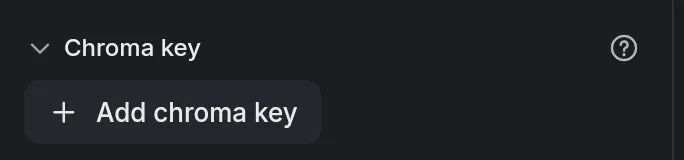
In the Video tab, open Fix and press Add chroma key.
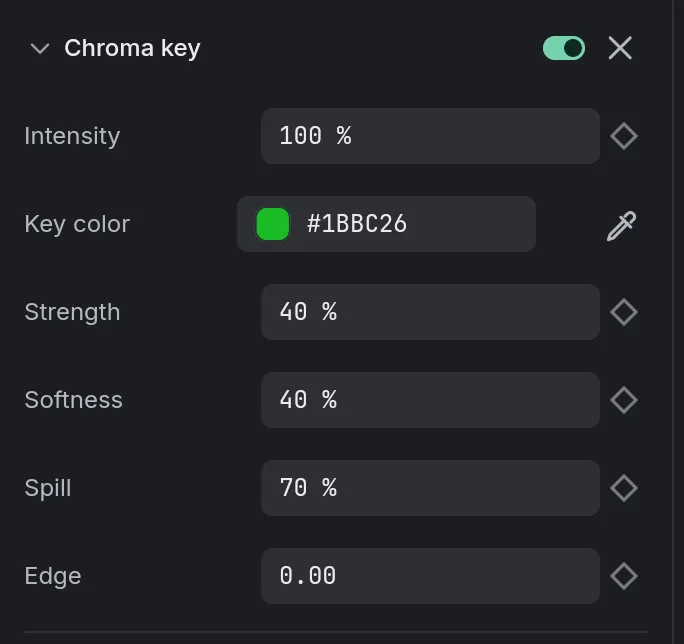
Click the screen on the viewer with the eyedropper: its color becomes the Key color.
Raise Strength until the screen is gone, then adjust the other settings for clean edges.
How it works
A true pick on grain
The eyedropper reads a small patch around your click, so grain on the screen doesn’t throw it off.
Shadows go with the screen
A shadow on the screen disappears with the rest of it, while skin, grays and dark clothes stay.
Spill taken off
Spill takes the green off hair and skin, turning it gray; cyan and yellow are left as they are.
What it needs
- Nothing to download: the chroma key is part of the app.
- A clip filmed in front of a screen of one color, lit as evenly as you can.
What it doesn’t do
- It keys a color, not a person: clothes or objects close to the screen’s color turn transparent too.
- Whatever is outside the screen, a light stand or the studio’s wall, stays: crop or mask it in the Shape section.
- It doesn’t export a video with transparency: the keyed clip is exported over what is under it.
Questions
Does it work with a blue screen?
Yes. The key color can be any color: pick it from the picture, or type it in the Key color field.
Can the settings change during the clip?
Yes. Each setting has its keyframe diamond, so the key can follow a light that changes.
And without a green screen?
Use Remove background (Pro), in the same Fix section: it finds the person with no screen behind them.
Coming soon to Windows. Eigami is a free desktop video editor with no watermark. Pro, paid once, adds 4K exports and the tools that do the work for you, with AI on your computer. Free, with Pro paid once, through the Microsoft Store for Windows 10 and 11. The app never asks you to sign in. See what it does
Updated