
Coming soon to Windows
Stabilize a shaky video
A shaky handheld shot made smooth: the camera’s shake taken out, a pan or a walk kept, and the picture zoomed in only as much as it needs.
ProTry it on your own clips for free; exporting it needs Pro. See pricing
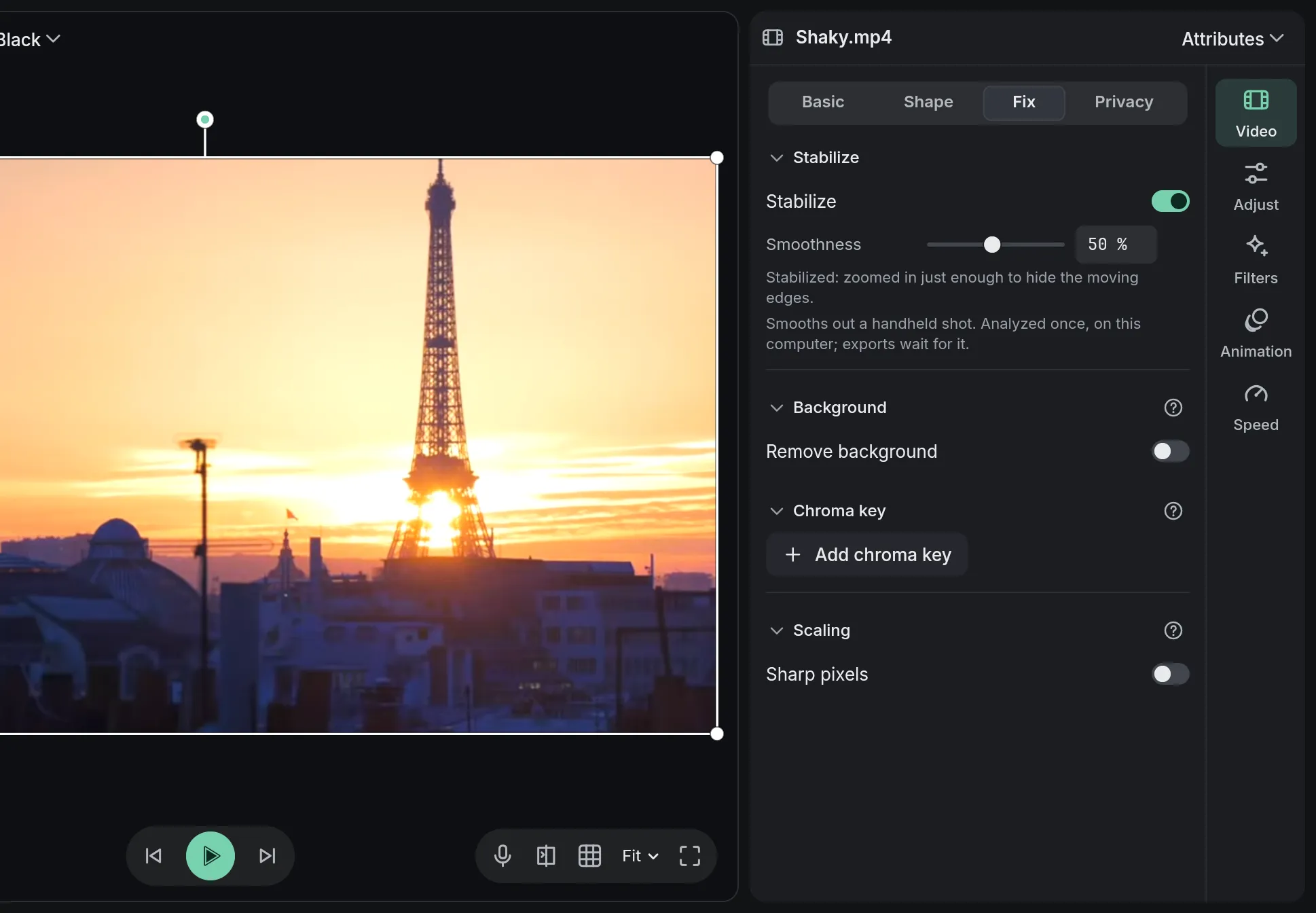
How to do it in Eigami
Select a video clip on the timeline and open the Video tab’s Fix section.
Turn on Stabilize; the preview plays the shot unchanged until the camera’s motion is measured.
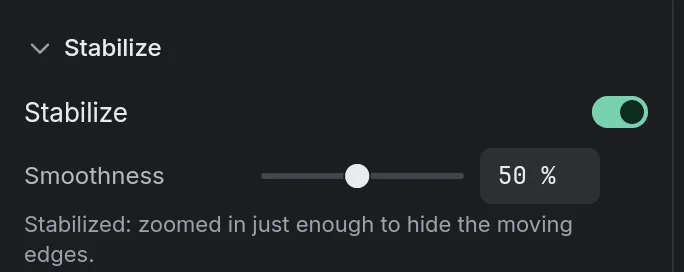
Set the Smoothness: higher is steadier and zooms in more, lower zooms in less.
Export as usual; if the measuring hasn’t finished, the export waits for it.
How it works
The camera, not the people
Someone walking across the shot isn’t mistaken for camera shake, so only the camera’s own wobble is taken out.
One zoom for the whole clip
The clip is zoomed by one steady amount, so the zoom never pumps in and out. A calm clip isn’t zoomed for a shake elsewhere.
Steadied first
Filters, crop, mask, border and shadow don’t shake with the picture. Copy the clip’s attributes to paste Stabilize onto another clip.
What it needs
- Nothing to download: it works on your computer, once per file, and remembers the file for next time.
What it doesn’t do
- It moves, turns and zooms the picture as a whole: the wobble of a phone’s rolling shutter isn’t corrected.
- Motion blur stays: a frame blurred by the shake is still blurred, only held still.
Questions
Does it work on action-camera or drone footage?
Yes, on any video clip. A very wide lens’s curved edges aren’t corrected, so a hard-shaking fisheye shot can still wobble a little at the sides.
Why is the picture zoomed in?
To hide the edges that move as the shot is steadied: the shakier the shot, the more it zooms in.
Does stabilizing change my file?
No, the file itself is never changed. Turning Stabilize on or off is one step, and Ctrl+Z undoes it.
Coming soon to Windows. Eigami is a free desktop video editor with no watermark. Pro, paid once, adds 4K exports and the tools that do the work for you, with AI on your computer. Free, with Pro paid once, through the Microsoft Store for Windows 10 and 11. The app never asks you to sign in. See what it does
Updated