
Coming soon to Windows
Add a whoosh, a pop or a ding to your video
A whoosh on a cut, a pop on a title or a ding when something appears, from sounds that come with the app and are free to use in any video.
Free
- 96 soundswhooshes, impacts, pops, clicks, dings, foley and jingles
- No attributionours or CC0, in any video, monetized too
- In the appnothing to download, and they work offline
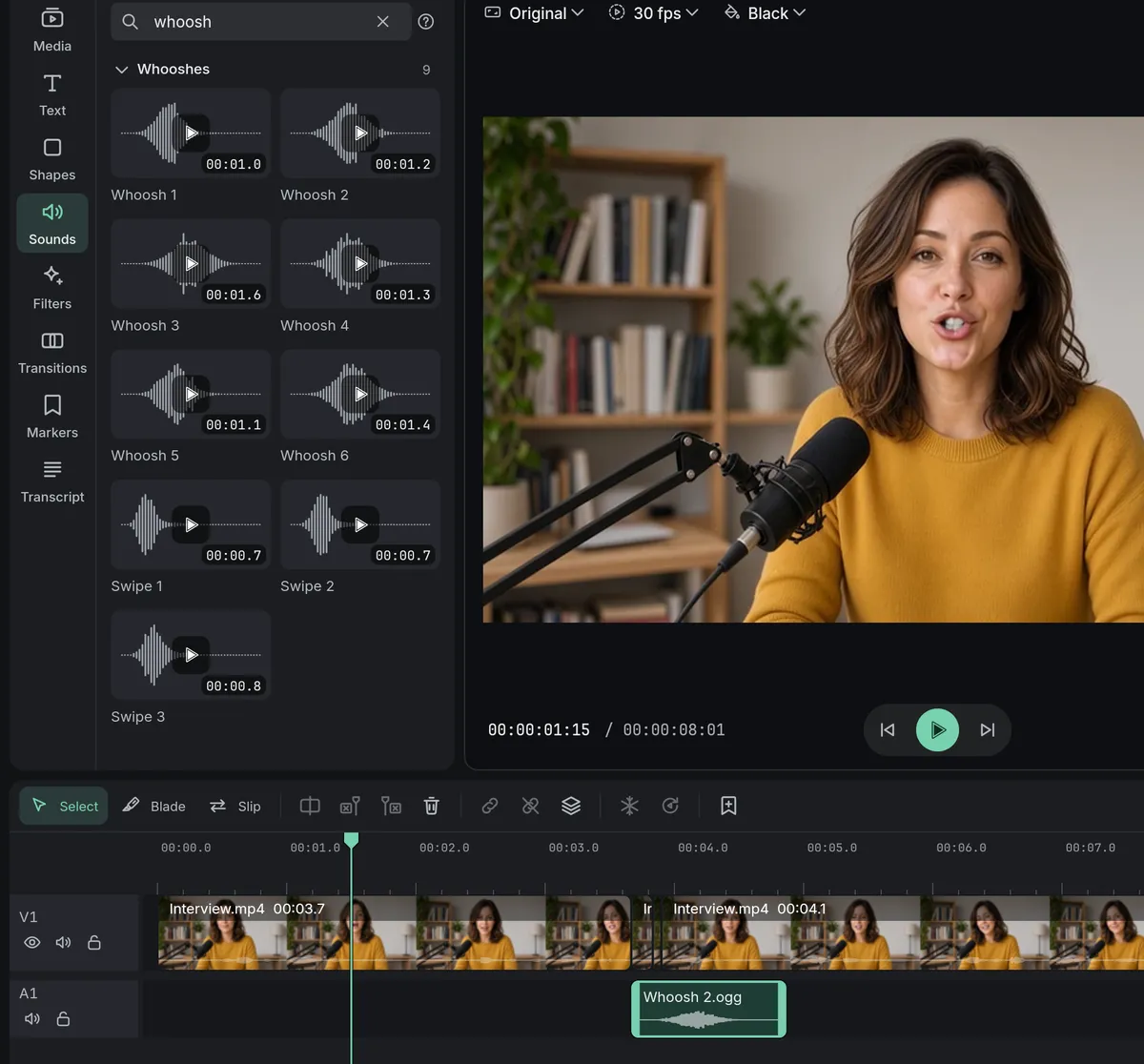
How to do it in Eigami
In the library, open the Sounds tab.
Type a word in Search sounds, such as “whoosh” or “boom”.
Rest the pointer on a sound to hear it.
Drag it onto the timeline where it should play.
How it works
Found by the words you use
Search by a sound’s name, its section or everyday English words like “swoosh” or “transition”, whatever language the app is in.
Heard before it is used
Each sound is drawn as its waveform, so a sharp hit and a slow riser look different. Passing over the list stays quiet.
An ordinary clip
A placed sound is an ordinary clip: trim it, move it, and set its Volume and fades in the inspector’s Audio tab.
What it needs
- Nothing to download: the sounds come with the app.
What it doesn’t do
- There is no music, only short jingles: bring your own songs, with the right to use them.
Questions
Can I use them in monetized videos?
Yes. They are ours or CC0, free to use in commercial work, and your videos need no attribution.
Can I put one at the playhead without dragging?
Yes. Click the sound, or its + button: it goes on a free audio track at the playhead.
Can I keep the ones I use most at hand?
Yes. Star a sound and it shows in Favorites, at the top of the tab.
Do the sounds stay with the project?
Yes. Open the project on another computer with Eigami and its sounds are there too.
Coming soon to Windows. Eigami is a free desktop video editor with no watermark. Pro, paid once, adds 4K exports and the tools that do the work for you, with AI on your computer. Free, with Pro paid once, through the Microsoft Store for Windows 10 and 11. The app never asks you to sign in. See what it does
Updated