
Coming soon to Windows
Cut a video to the beat of the music
Your song’s beats are marked along it on the timeline, so cuts made near a mark land on it: clip edges and the Blade snap to the beat.
Free + ProSeeing the beats and snapping your cuts to them is free; Fit cuts to beats needs Pro. See pricing
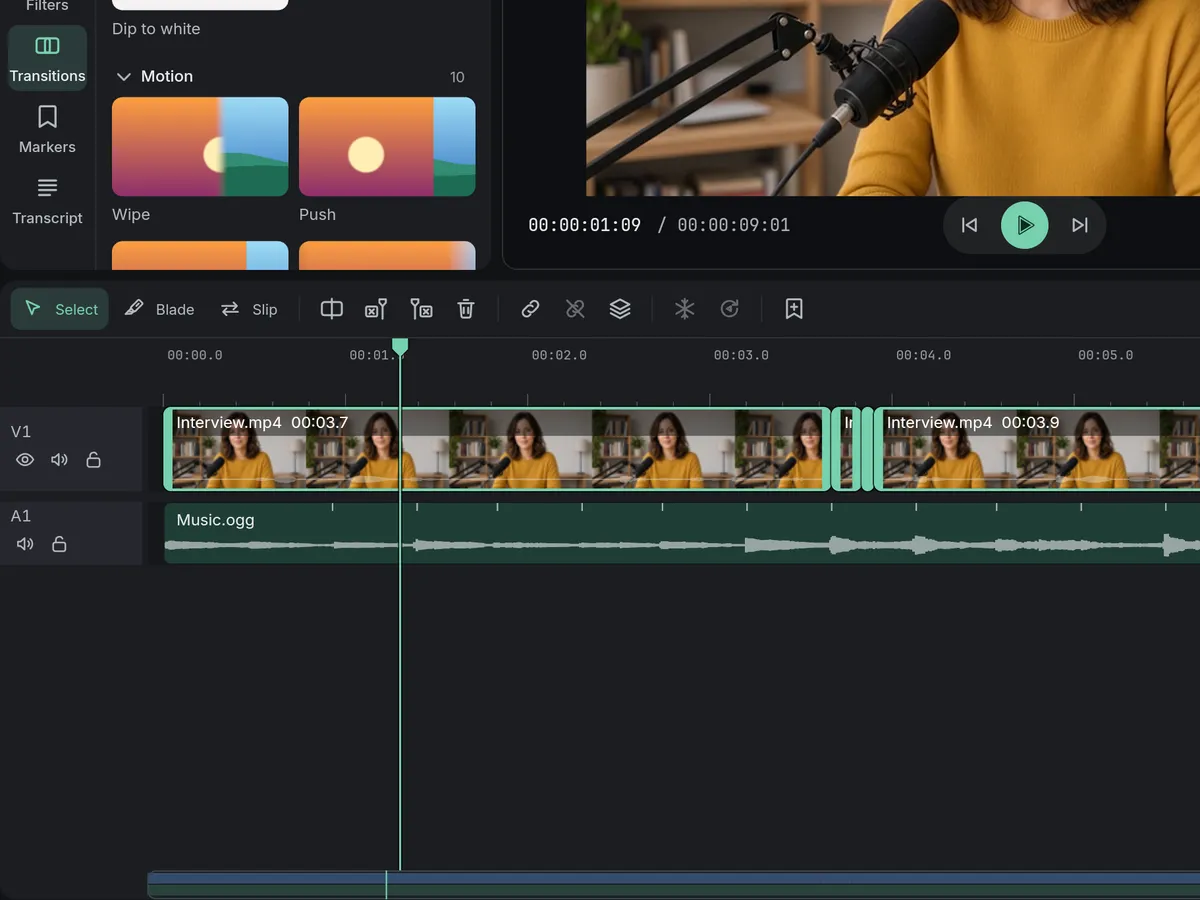
- Fit cuts to beatsmoves the cuts you made onto the nearest beats
- A mark at every beatand the song’s tempo shown
How to do it in Eigami
Put the song on an audio track under your clips and select it.
In the inspector’s Audio tab, open Music and switch on Show beats.
Select your clips, right-click and choose Fit cuts to beats (Alt+B).
Play it back to hear each cut land on the beat.
How it works
The beats on the song
Each beat is a short mark along the song, and the Music section shows its tempo. Move the song and the beats go along.
Cuts that snap to the beat
Near a mark, a clip’s edge or the Blade lands on the beat, and the Blade’s line shows where it will cut before you click.
Fit cuts to beats
The end of each selected clip moves onto the nearest beat, or the beat before if its footage runs out; what follows on the main track moves along.
What it needs
- Nothing to download: it comes with the app.
- A song with a steady beat.
What it doesn’t do
- Every beat is marked the same way: it doesn’t tell which beat starts a bar.
- A song has one tempo from start to end: music that speeds up or slows down, like a live set, may drift off its marks.
- It doesn’t cut for you: it moves the cuts you’ve made.
Questions
Is my music uploaded?
No. The beats are found on your computer, once per song, and kept for next time.
Can I put the cuts back where they were?
Yes. Fit cuts to beats is one step: Ctrl+Z puts every cut back.
What if a recording has no steady beat?
Beats show only on the clips you switch Show beats on; a voice or ambience says “No steady beat found.”
Can I hide the marks again?
Yes. Switch Show beats off in the song’s Music section; your cuts stay where they are.
Coming soon to Windows. Eigami is a free desktop video editor with no watermark. Pro, paid once, adds 4K exports and the tools that do the work for you, with AI on your computer. Free, with Pro paid once, through the Microsoft Store for Windows 10 and 11. The app never asks you to sign in. See what it does
Updated