
Coming soon to Windows
Animate a clip with keyframes
Any clip moving, zooming or fading exactly when you want, with curves that make the move feel natural, or a ready-made move in one click.
Free + ProZoom, which sets the keyframes for you, is free to try and needs Pro to export; keyframes you set yourself are free. See pricing
- 6curves between keyframes: Linear, Ease in, Ease out, Smooth, Hold, or one you draw
- 9ready-made moves in and out for any clip
How to do it in Eigami
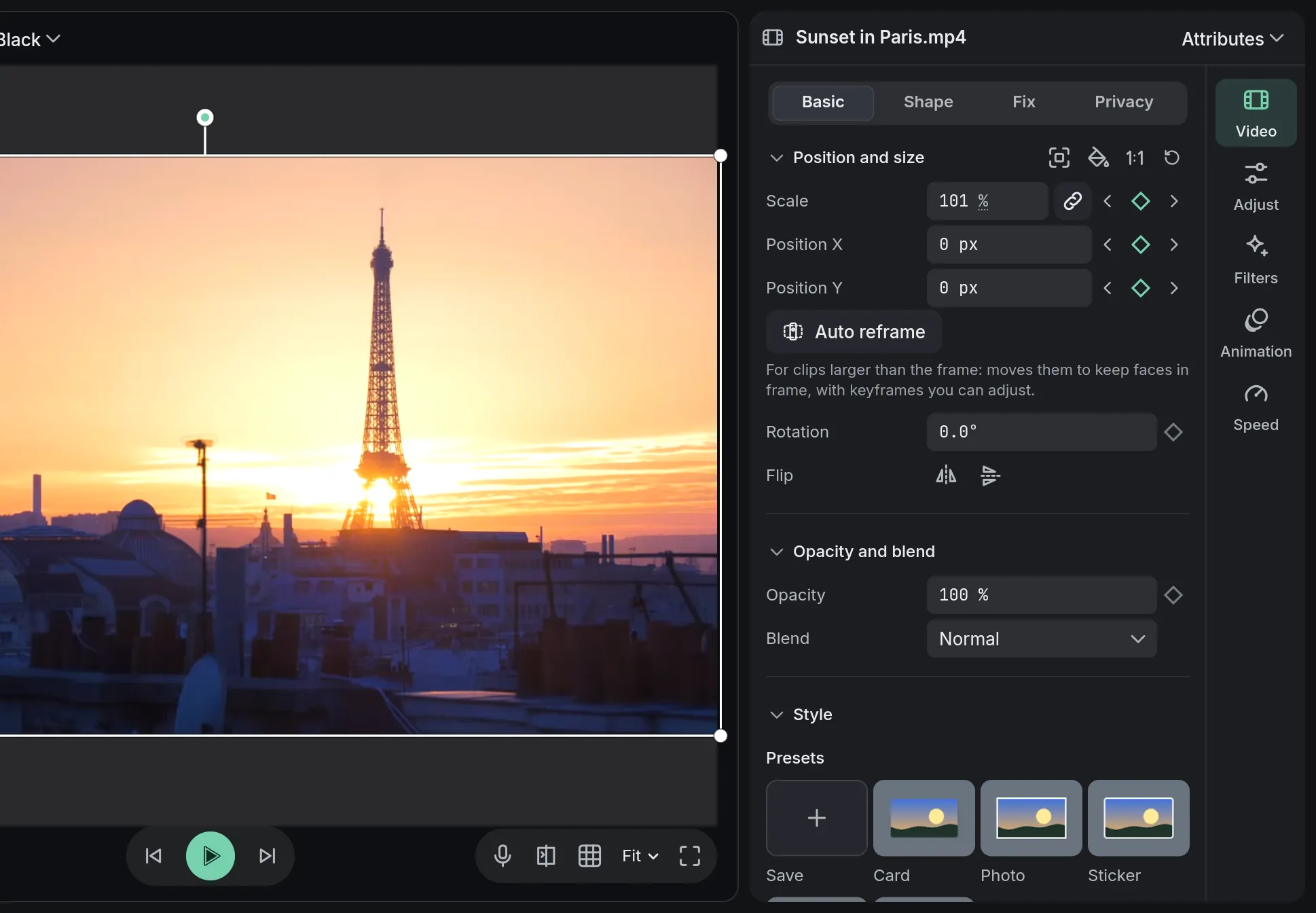
Put the playhead where the move starts and click the ◆ beside a value in the Video tab.
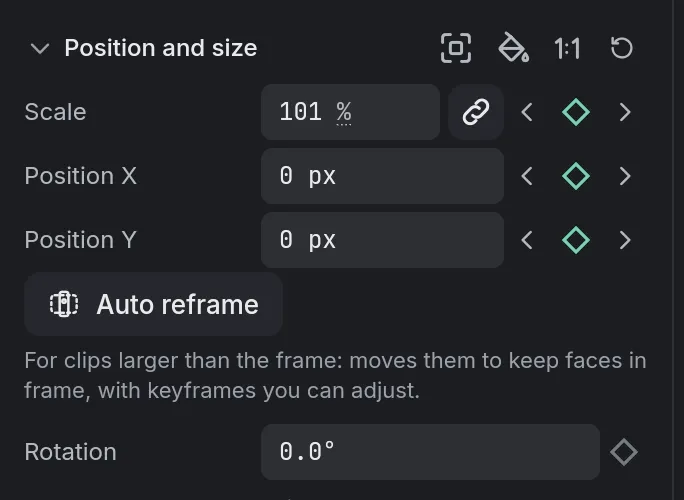
Move the playhead to where the move ends and change the value: a keyframe is added there.
To time the move, drag the diamonds along the bottom of the clip on the timeline.
Right-click a diamond and choose a curve, such as Ease in or Smooth.
How it works
Every value with a diamond
Position, scale, rotation and opacity, the crop and mask, the border and shadow, colors, volume, and each filter’s settings can all move.
Keyframes that move together
A diamond on the timeline stands for every keyframe at that moment, so a move and a fade keyed together stay together.
Ready-made moves too
The Animation tab adds moves in and out, loops and a zoom on top of your own keyframes; Zoom’s keyframes stay yours to adjust.
What it needs
- Nothing to download: keyframes and animations are part of the editor.
What it doesn’t do
- Speed, the tone Curves and a text’s font, size and color keep one value for the whole clip: a speed Curve changes the speed, and a text grows with its Scale.
Questions
Do keyframes stay put when I move or trim the clip?
They stay with the picture: they move with the clip, and trimming or splitting it keeps them on the same frames.
Can I draw my own curve?
Yes. On the inspector’s diamond, Custom curve… opens a graph with two handles; drag one past the edge and the move overshoots, then settles.
Can I copy an animation onto other clips?
Yes. Copy attributes on one clip, then Paste attributes… on the others: the keyframes go along, in the same place from the clip’s start.
Can I animate a title letter by letter?
Yes. For a text, the Animation tab has a Text section with Typewriter, letters that fade or rise, and loops such as Wave.
Coming soon to Windows. Eigami is a free desktop video editor with no watermark. Pro, paid once, adds 4K exports and the tools that do the work for you, with AI on your computer. Free, with Pro paid once, through the Microsoft Store for Windows 10 and 11. The app never asks you to sign in. See what it does
Updated